
The first AI-native
flowchart platform
Flow it. Board it. Note it. Present it.
Describe what you need. Watch AI build it. Drag, refine, and share in real time, no design skills required.

↕ Try dragging the nodes around
Flow Validator
Instantly detects dead ends, cycles, disconnected nodes, and missing entry/exit points before you ship.
AI Diagram Generator
10 guided presets including mind maps, Gantt charts, SWOT, org charts, fishbone, and swimlanes. Built via conversation, not config.
Presenter Mode
Walk through your flowchart node-by-node like a slideshow. Auto-detects the presentation path from your flow.
Native Gantt Charts
Timeline headers, task bars with drag-to-resize, milestones, and dependency connectors, all on the same canvas.
Data Tables & SWOT Grids
Drag a CSV-powered data table or a 2×2 SWOT grid right into your flowchart. Edit cells inline.
20+ Node Types & 100+ Shapes
Process, decision, data, sticky notes, images, stickers, groups, dividers, links, plus a full shape library.
From idea to diagram in seconds
OpenCharts combines the power of AI with an intuitive canvas to help you create professional diagrams faster than ever before.
Describe what you need
Simply type what you want to create in natural language. Whether it’s ‘a user authentication flow’ or ‘an e-commerce checkout process’, our AI understands your intent.
AI generates your diagram
Watch as AI creates nodes, connections, and layouts automatically. It understands context, creates logical flows, and applies professional styling.
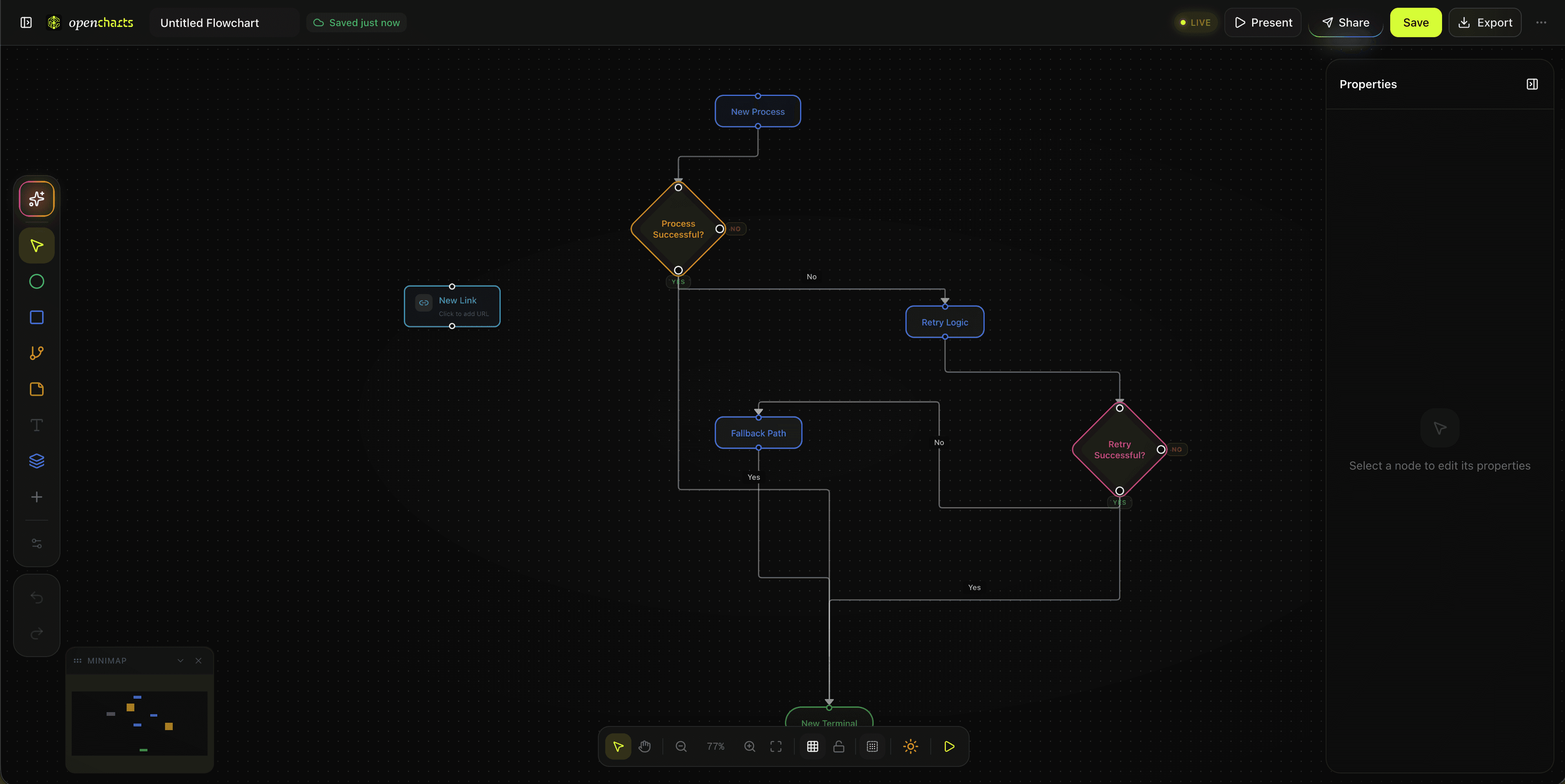
Customize & collaborate
Fine-tune every detail with our editor. Drag, resize, restyle, add comments — then share with your team or export in any format.
10 AI diagram presets
Answer a few questions, get a fully structured diagram. No blank-canvas anxiety.
Four canvases, one workspace
No more switching between Miro, Lucidchart, Notion, and Google Slides. Everything you need lives in OpenCharts.
↕ Try dragging the nodes around
Professional diagrams, drag and drop
20+ node types including process flows, decision trees, SWOT grids, fishbone diagrams, Gantt charts, org charts, and more, all with rich text formatting and auto-layout.
Start with a template, finish in seconds
Skip the blank canvas. Pick a template, let AI fill in the details, and customize from there.
User Authentication
Employee Onboarding
CI/CD Pipeline
E-commerce Checkout
Bug Triage
Content Approval
Hiring Process
Incident Response
Work together, in real time
Share a link, no signup needed. See live cursors, leave comments, and build diagrams together as if you're in the same room.
Should we add retry logic here?
Share without signup
Generate a link. Anyone can view or comment instantly, no account required. Set viewer, commenter, or editor permissions per link.
True real-time editing
Live cursors, presence indicators, and node locking. Multiple people editing the same canvas simultaneously. Changes sync in milliseconds.
Team workspaces
Create organizations with roles (owner, admin, editor, viewer). Shared project libraries, built-in team chat, and activity feeds.
Why pay for three tools when one does it all?
OpenCharts bundles flowcharts, whiteboards, notes, presentations, file storage, and AI into one platform at a fraction of the price.
One tool, not three
Everything your team needs, bundled
Flowcharts, whiteboards, notes, presentations, file storage, and team chat in a single workspace. Competitors make you buy Miro + Notion + Google Slides separately. We ship it all.
AI-native, not AI-bolted
Built into every canvas from day one
Other platforms charge extra for AI add-ons. OpenCharts includes AI generation on every plan, even Free. Upload a PDF, describe what you need, and watch it build in seconds.
3–5× cheaper
More for less, no per-seat surprises
Miro is $8/user/mo for whiteboards alone. Lucidchart is $7.95+/user/mo for diagrams only. OpenCharts Unlimited is $24.99/mo total for everything, including 1M AI credits.
Enterprise-ready now
Security isn't locked behind 'Contact Sales'
SSO/SAML, 2FA, row-level permissions, encryption at rest & in transit, version history, data residency, and 99.99% uptime SLA. Available from launch, not hidden in an enterprise upsell.
The math is simple
What you'd pay elsewhere for the same capabilities
Miro
$8/user/mo
whiteboards only
Lucidchart
$7.95/user/mo
diagrams only
Notion
$10/user/mo
docs only
Combined
$25.95+/user/mo
three subscriptions
OpenCharts Unlimited
$24.99/mo total
Everything included: flowcharts, whiteboards, notes, presentations, 1M AI credits
One platform vs. three subscriptions
See how OpenCharts stacks up feature-by-feature against the tools you'd otherwise need to buy separately.
Bottom line: Miro + Notion + Google Slides costs $25+/user/mo across three subscriptions. OpenCharts Unlimited gives you everything for $24.99/mo total.
Pick your plan, start building
Every plan includes the full editor. Upgrade when you need more room, more AI, or your whole team.
Free Forever
Explore at your own pace
No credit card required
- Up to 2 flowcharts
- 1 note
- 1 whiteboard
- 1 presentation
- 50,000 AI credits / month
- Basic export (PNG, JSON)
- Community templates
- 1 user
- Priority AI models
- Version history
Starter
For side projects & solo makers
- Up to 10 flowcharts
- Up to 5 active notes
- Up to 3 whiteboards
- Up to 3 presentations
- 200,000 AI credits / month
- Basic export (PNG, JSON)
- Community templates
- 1 user
- Priority AI models
- Version history
Unlimited
For power users who build non-stop
- Unlimited flowcharts
- Unlimited notes
- Unlimited whiteboards
- Unlimited presentations
- 1,000,000 AI credits / month
- All export formats
- Custom templates
- 1 user
- Priority AI models
- Version history
Teams
For squads that think together
per user, billed monthly
min. 3 users, $44.97/mo
- Everything in Unlimited
- Min. 3 users
- 500,000 AI credits / user / mo
- Real-time collaboration
- Team chat
- Organization workspaces
- Shared project libraries
- Admin dashboard
- Activity feeds
Our Holy Sh*t Ideas
The stuff that makes you do a double-take. AI coaching, real-time conversions, document → anything pipelines, and 20 features you didn't know you needed.
Your next diagram is 30 seconds away
Describe it, AI builds it, you refine it. Free to start, no credit card needed, and your whole team can join.
Need a hand? We've got you covered
Guides, tutorials, and answers for every feature, from first flowchart to advanced AI workflows.